Kubernetes App With Load Balancer Creation
Published by harrisonjonesit.co.uk on
During my Cloud studies I learned about what Kubernetes clusters is and what it is used for, however recently through following senior professionals I have realised the best way to learn is to make these environments yourself so that’s what I attempted this weekend.
Firstly, What is Kubernetes? Kubernetes also known as K8s, is an open-source system for automating deployment, scaling, and management of containerized applications. Their capabilities and theory behind them can get quite advanced and complicated. For this test I just created a simple example of how they can be put into practice.
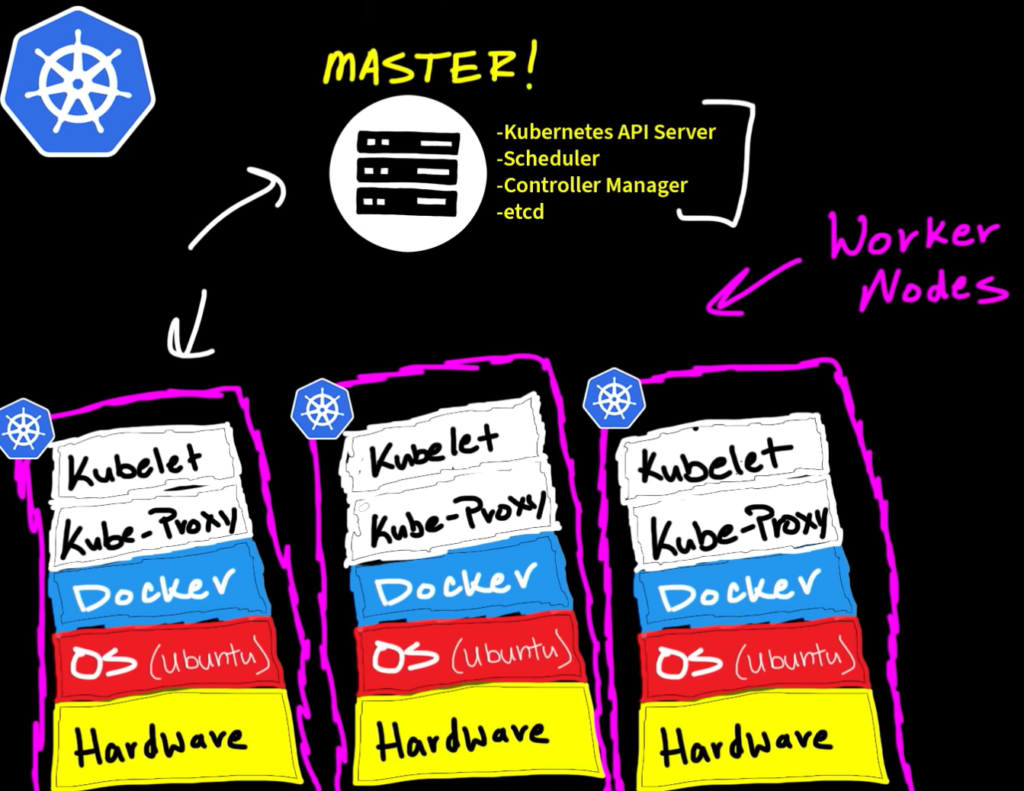
To Start. I configured a Kubernetes cluster on Linode which created a set of 3, 2GB nodes in a cluster, basically 3 ‘worker’ computers that link to the master node. The master node is what you interact with to configure. We do this through the KubeCTL application which I installed on my local Kali Linux VM. When creating a cluster on a cloud provider, it can generate a YAML file for you to connect straight to your instance through that KubeCTL app. For this demonstration it will just be hosting a test image i found on the web.
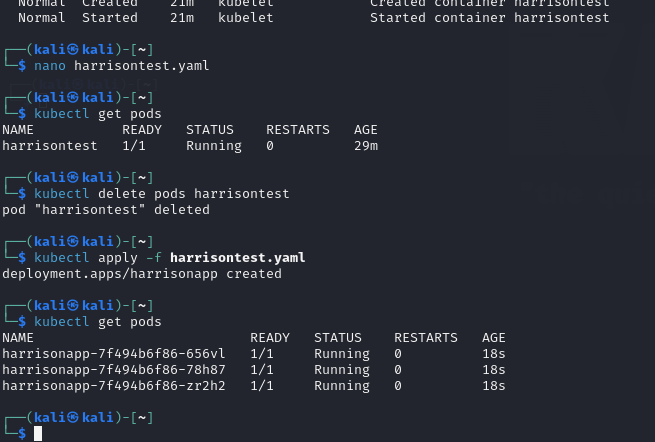
As we can see above the YAML file was created and confirmed our pods are connected. I then created another YAML file based off an online template to configure load balancing for any nodes hosted on the ‘testapp’ see code below.
apiVersion: v1
kind: Service
metadata:
  name: webapp-service
spec:
  type: LoadBalancer
  selector:
    app: Harrisontest
  ports:
  - protocol: TCP
    port: 80
    targetPort: 8080
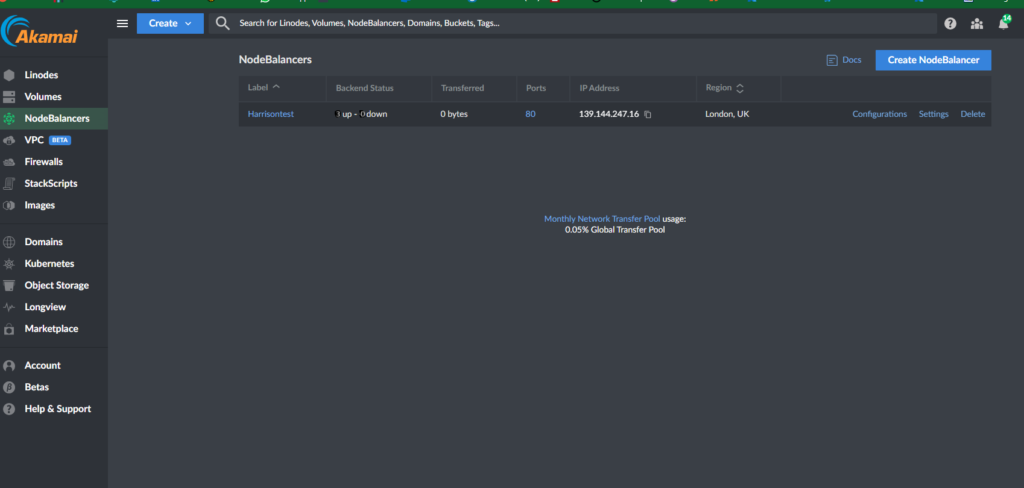
Finally, to confirm the load balancer was running, I went onto Linode to see that it was up in their load balancer section.
Now I can see the load balancer is up this confirms the Load Balancer is up and the site is accessible.
-To summarize. I created a Kubernetes cluster in Linode, before installing KubeCTL on Kali in order to connect to the master node that was created to host the test image, then configure it to load balance that image across the 3 nodes.
This was a very basic K8 project but a great introduction to containers, load balancing and availability.
Introduction to digital forensics Incident response (DFIR) Digital Forensics is the process of analysing a computer to discover malicious activity once it has been discovered This could be as simple as a dodgy piece of Read more…
Ransomware – 3 ways to defend against the biggest threat facing IT departments today Lately, we’ve seen headlines about major companies losing millions to ransomware, suffering data breaches, and experiencing stock crashes after their systems Read more…
Wazuh SIEM After discussing an upcoming project in work, I decided to build my own SIEM using Wazuh, which is a free, open-source security tool that can monitor agents and servers giving you full visibility Read more…